


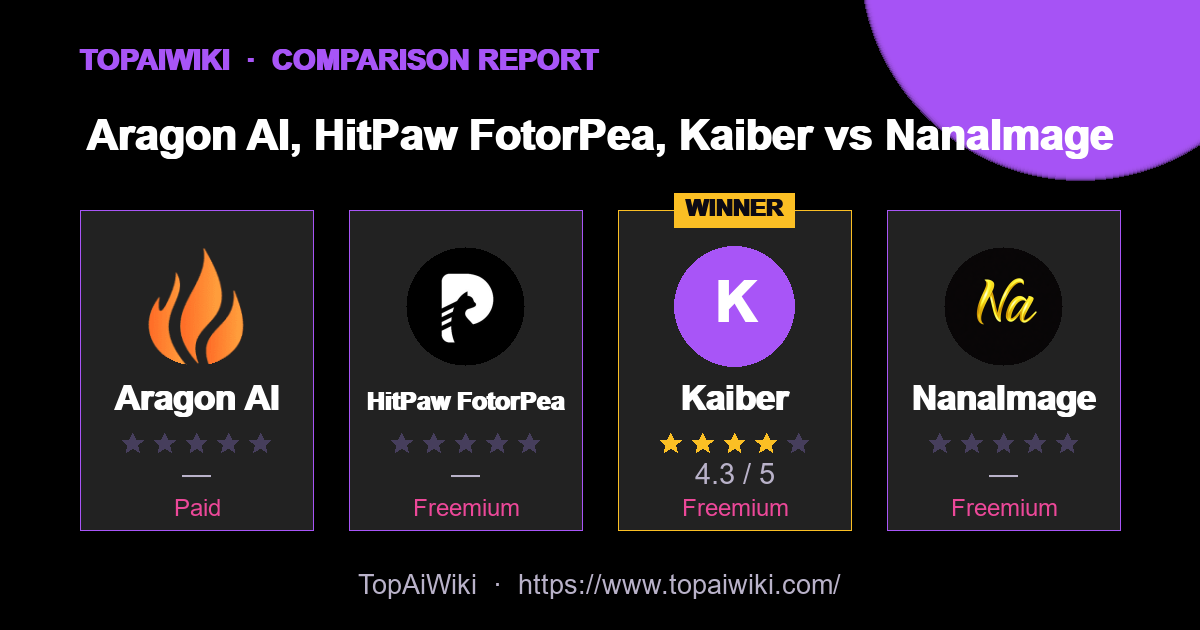
How do Aragon AI, HitPaw FotorPea, Kaiber vs NanaImage compare? This side-by-side report weighs each image editing tool on user ratings, pricing, popularity and community reputation — so you can skip the guesswork and pick the right one in minutes.
🏆 Quick verdict
Short on time? Here are the standout winners in each category.
📊 At a glance
The full head-to-head. Cells marked 👑 lead their row.
| Metric | Aragon AI | HitPaw FotorPea | Kaiber | NanaImage |
|---|---|---|---|---|
| ⭐ Rating | — | — | ★★★★☆ 4.3 👑 | — |
| 💬 Reviews | 0 | 0 | 4 👑 | 0 |
| 💵 Pricing | Paid | Freemium | Freemium | Freemium |
| 🏷 Category | avatars | image editing | Video Generation | image editing |
| 🎟 Popularity | 0 | 0 | 0 | 0 |
| 🏅 Honor medals | 0 | 0 | 33 👑 | 0 |
| ❤️ Likes | 60 | 1 | 501 👑 | 9 |
| 👁 Views | 107 | 78 | 14,649 👑 | 77 |
💡 Key takeaways
- ✅ Kaiber leads on user satisfaction with a 4.3★ average rating.
- 💰 On a budget? Kaiber offers the best value (Freemium).
- 💬 Kaiber has the most reviews (4), so its rating is the most battle-tested.
🎯 Which one should you choose?
🔍 Tool-by-tool
Aragon AI
Generate professional AI headshots rapidly and affordably
👍 Pros
- Cost-Effective: Saves hundreds of dollars compared to traditional photoshoots, with plans starting as low as $35.
- Time-Saving: Eliminates the need for lengthy photoshoots, providing quick results within hours.
- Flexibility: Offers a wide range of customization options to suit various professional and personal requirements.
- Privacy and Security: Prioritizes user privacy with advanced encryption and a clear policy on data usage.
👎 Cons
- Initial Setup Requirement: Requires users to upload specific types of photos, which may need clarification for some.
- Limited Physical Interaction: Lacks the personal touch of a human photographer, which might be preferred by some users.
- Dependence on Technology: Relies heavily on AI, which might not always capture human nuances perfectly.
HitPaw FotorPea
Fix blurry photos, restore memories, make art
👍 Pros
- Strong quality gains on difficult images: Face and Upscale models do a convincing job on blurry portraits, low resolution product shots, and old family photos.
- Straightforward workflow: The three step process (import, pick a model, preview and export) is approachable even for non technical users.
- Creative and corrective in one place: Traditional enhancement, restoration, and generative art live inside the same tool, which is handy for social content and marketing teams.
- Flexible deployment: Desktop apps, mobile apps, an online version, and a Photoshop plugin cover most common devices and editing pipelines.
👎 Cons
- Credit and plan structure can feel opaque: Desktop licenses, cloud credits, and plugin subscriptions are separate, so new users must read the fine print.
- Hardware hungry on desktop: Best performance expects at least 8 GB RAM and a modern GPU, which rules out older machines for heavier jobs.
- Limited native integrations beyond Photoshop: There is no direct plug in for tools such as Lightroom, Capture One, or Figma, so those workflows rely on exports.
Kaiber
Animate stills into music-driven videos.
👍 Pros
- Audio reactive
- Anime
- Music
👎 Cons
- Free tier is limited
- Steep learning curve for advanced features
NanaImage
Edit or generate consistent 4K images from text
👍 Pros
- Strong prompt following: High alignment between written instructions and final output, including relatively complex, multi-part edits.
- Fast, high-quality results: Typical generations finish in under ten seconds with 4K+ resolution available in higher modes.
- Affordable credit model: Headline price around 0.05 dollars per generation with one free credit every 24 hours, significantly below many rivals.
- Creator-friendly licensing: Paid plans include commercial usage rights, watermark removal, and permanent cloud storage, which fits professional workflows.
👎 Cons
- Credit-based mental overhead: Users must keep an eye on remaining credits and per-image usage, especially on smaller plans.
- Limited visible integrations: The site focuses on the web editor itself, with no obvious native plugins for tools like Figma or Photoshop yet.
- Newer brand: Although it advertises tens of thousands of users, it is still a relatively fresh entrant, so long-term stability and wider ecosystem support are evolving.
📣 Community signals
Across these 4 tools, the community has cast 0 popularity votes, left 4 reviews and given 571 likes. Gifts, medals and reputation reflect real member engagement rather than editorial opinion.
❓ Frequently asked questions
This report is compiled from user-submitted comparisons based on user ratings and tool features, and is for reference only. Ratings and data may change over time; please verify information on the official websites of each tool before making a decision.
💬 Discussion (0)
No comments yet. Start the discussion!
Add a comment