
Opus 55 Video
Video Generators
Opus 55 Video turns a product URL or prompt into a short Sketch or Motion MP4.
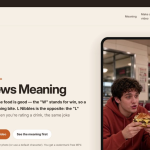
Upload a food photo and make a trending W Chews or L Nibbles video.
No single tool fits everyone. Comparing W Chews with similar video generators tools helps you weigh pricing, features and community trust before you commit. Here are the top 10 alternatives our visitors compare.
Opus 55 Video turns a product URL or prompt into a short Sketch or Motion MP4.

Turn inspiration into your next creation.
Turn images into AI videos
Turn any photo into a short AI video

AI image and video creation in one workspace

Create polished images, videos, and consistent characters

Generate high-quality videos, music, and sound effects

Creates licensed videos, images, music

Turn messy screen recordings into polished, personalized walkthroughs

AI toolkit for generating images, videos, music, and chats
The best W Chews alternatives depend on what you need — pricing, features and workflow fit. Below are the top 10 tools our community compares against W Chews, ranked by shared category and community signals.
Compare each option on pricing, the features you actually use, integration support and community ratings. Open a tool’s page to read reviews and see its full feature list before switching.
Some are free or freemium, others paid. Each tool’s listing shows its pricing plan and a direct link to the official website so you can check the current offer.